
Getting Started with Essential Free Gift BOGO BXGY App
Essential Free Gifts lets you run gift-with-purchase promotions on your Shopify store — no coding required.
Step 1: Enable the App Embed
Before anything shows on your storefront, you need to activate the app embed in your theme.
- On the dashboard, click Enable app embed in the setup guide.
- This opens the Shopify theme editor. Find Essential Free Gifts under App Embeds and toggle it on.
- Click Save.
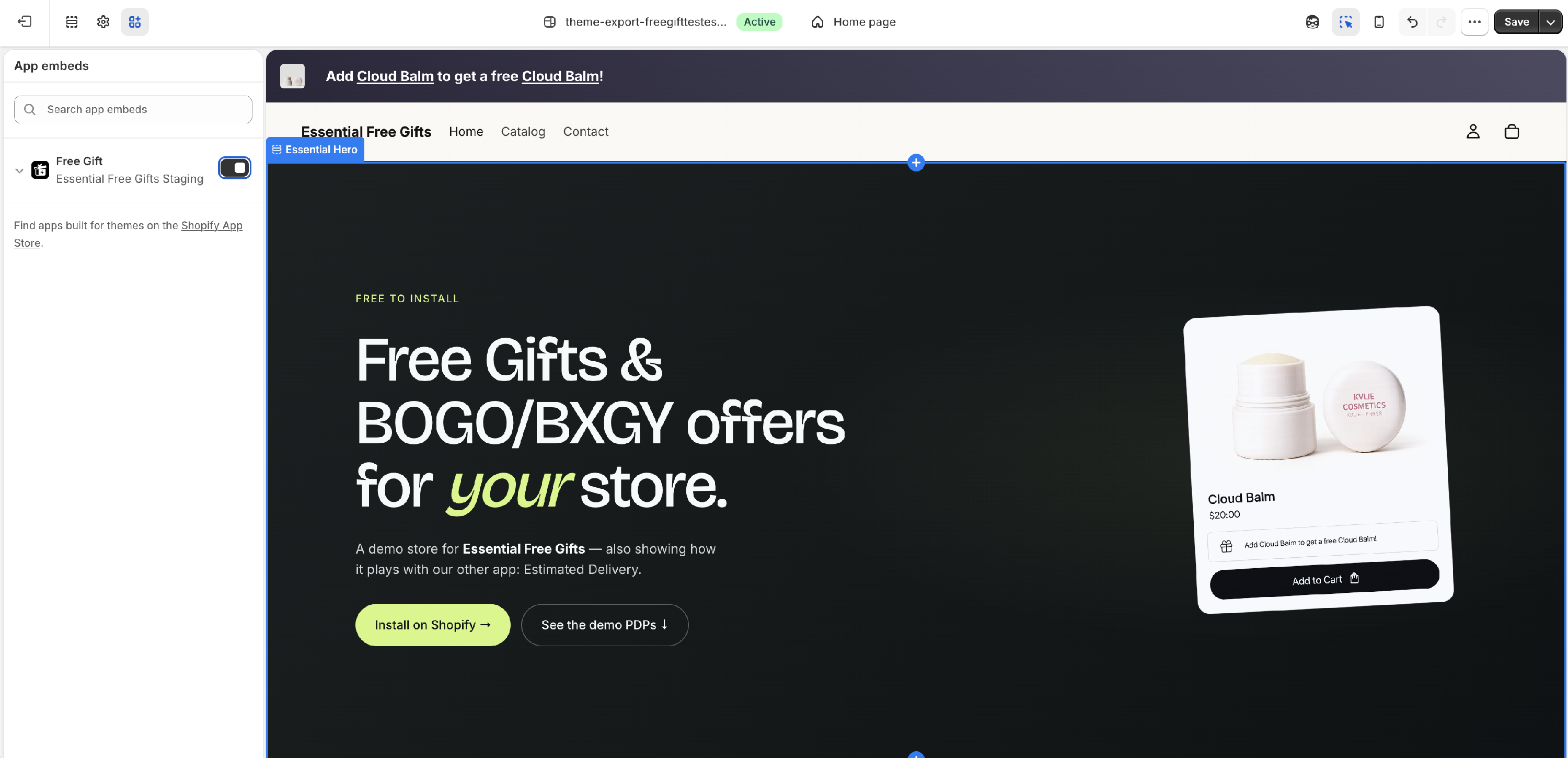
> Important: Without the app embed active, no widget will appear on your store — even if your offer is published. This is the most common cause of widgets not showing.
Step 2: Create Your First Offer
Click Create offer from the dashboard, then choose your offer type:

| Offer type | What it does |
| BXGY | Customer buys a specific product and gets a gift |
| BOGO | Customer buys a product and gets one free |
| Spend X Get Gift | Customer reaches a cart value and gets a gift — the "get discount" and "get free shipping" cards are shortcuts to the same offer type with that reward pre-selected |
| BXGD | Customer buys a specific product and gets a discount on another product |
| Buy X get discount on whole cart | Customer buys a specific product and gets a discount on the entire cart at checkout |
Step 3: Configure the Settings
Fill in the Settings tab — give the offer a title, pick trigger products, and choose gift products.
Step 4: Set Up the Widget
Switch to the Design tab. The Cart placement is enabled by default. Enable any other placements you want (Product Page, Floating Gift, Announcement Bar).
Step 5: Publish
Click Publish inside any placement to make it live on your storefront.

After publishing, visit your storefront, add the qualifying product or reach the required cart value, and the widget should appear.