
Setting Up a BXGY or BOGO Offer
Offer Title
This is an internal label — customers never see it. Use something descriptive like "Summer Hat BXGY".
Trigger Conditions
Quantity — how many trigger products the customer needs in their cart. Default is 1.
Trigger product source — what counts as the trigger:
- Specific products — pick individual products from your store
-
Specific collection — any product from a chosen collection qualifies, including products you add to the collection later. Click View products (N) to see the current list — it's read-only, since the collection itself is the source of truth; to leave specific products out, use the trigger exclusions below. Collections of any size work, even thousands of products.
- All products — any product in your store qualifies

Very large selections: if you hand-pick many hundreds of individual products (or gift products), a warning appears in the editor — beyond the checkout discount limit the gift would still be added to the cart but **not discounted at checkout. Collection and "All products" triggers don't have this problem, so switching to one of those is the easiest fix.
Offer applies to — controls whether the trigger applies to one-time purchases, subscription products, or both.
Gift Products
Use the gift product picker to choose what the customer receives.
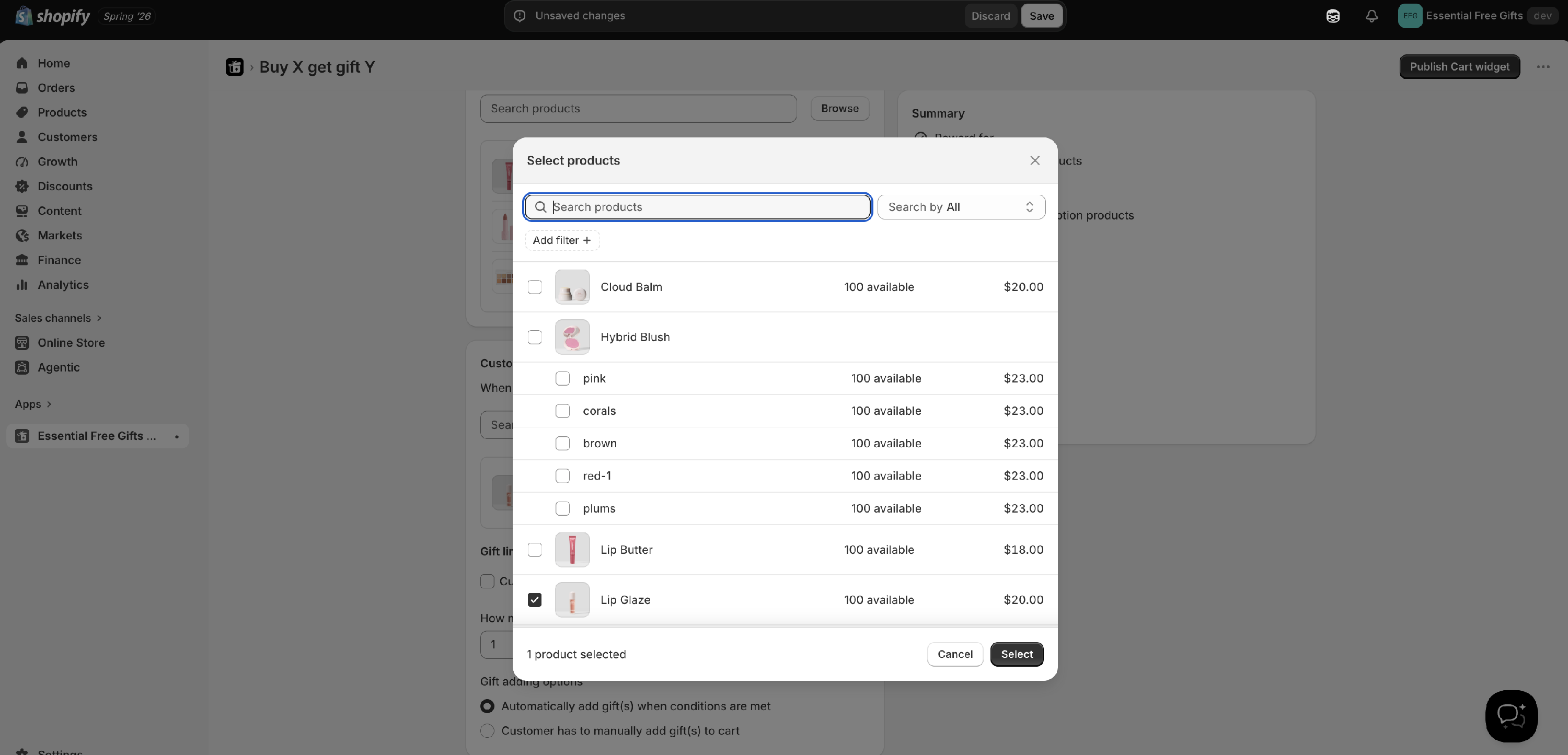
For each gift product you can: - Limit to specific variants (e.g. only the blue version)
You can add multiple gift products — the customer then chooses from the list.
Gift Adding Options
-
Add the gift automatically — the gift is silently added to the cart when conditions are met. No button is shown.
-
The customer adds the gift manually — an "Add" button appears in the widget. The customer clicks it to claim the gift.
Gift Limit
-
All selected gifts (default) — the customer can claim every gift in the list.
-
Specific quantity — a number field appears; the customer chooses that many gifts from the list.
Switching the adding option back to Automatic removes the limit.
Maximum Uses Per Order
Useful for quantity-based offers — for example, if the customer buys 3 trigger products you might want them to get 3 gifts. Set this to 3. Both the gift limit and each gift's quantity scale with the number of uses.