
Troubleshooting: Widget Not Showing Free Gift BOGO BXGY App
If your gift widget isn't appearing on your storefront, work through these checks in order.
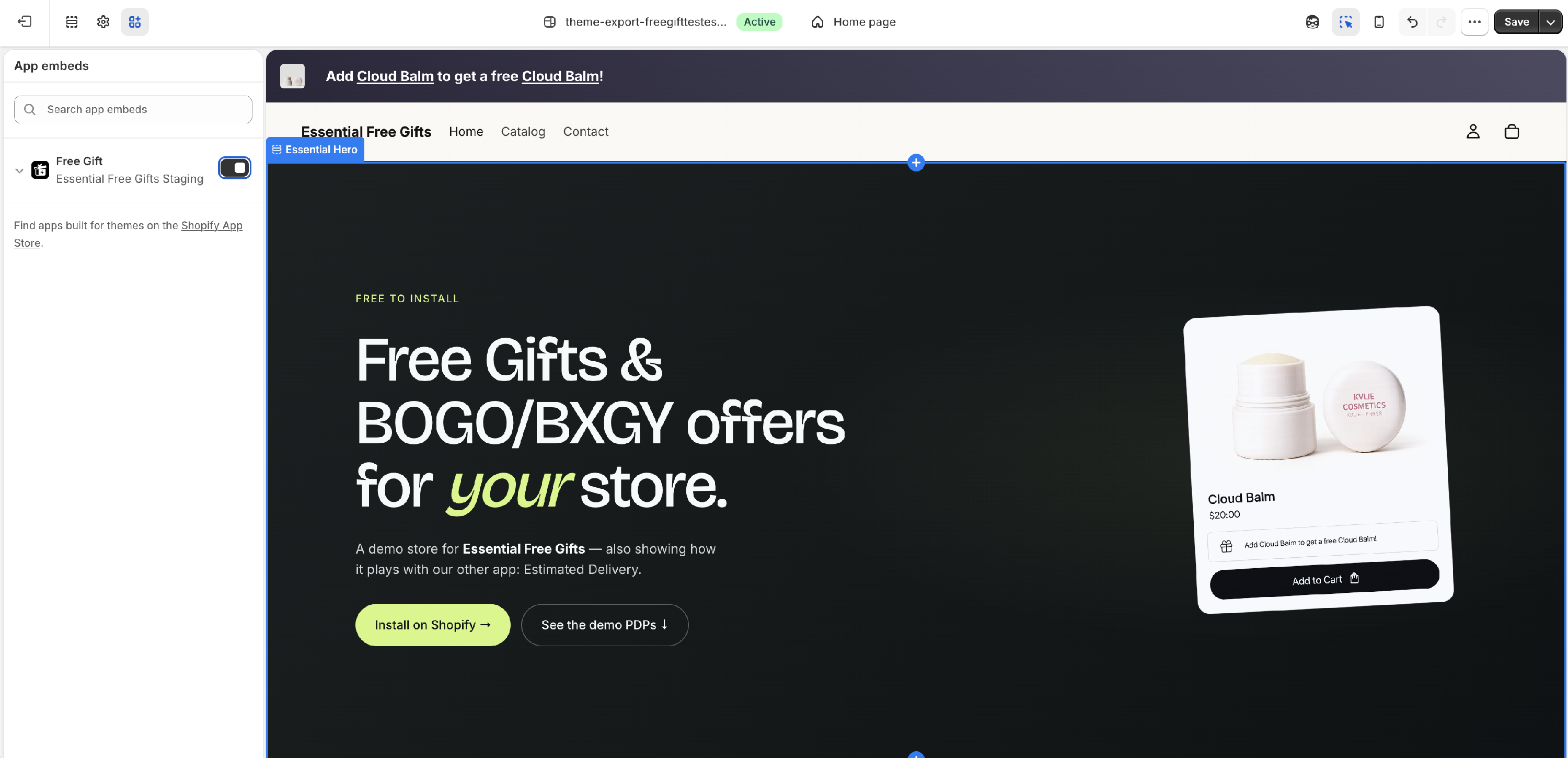
1. App embed is not enabled
This is the most common cause. Go to Online Store → Themes → Customise → App Embeds in the Shopify admin. Toggle Essential Free Gifts on and click Save.
2. Placement is not published
Each placement must be published separately. Open the placement's tab at the top of the offer editor — a green dot means it's live. If the button at the bottom says Publish, the placement is not live yet. Click it.
Note: an offer can also be live with no widget (automatic gifts published from the Offer tab). In that case the gift still works in the cart and at checkout — there's just nothing to see on the page.
3. You're not meeting the offer conditions
The widget always shows, but the gift only unlocks once conditions are met. Test by: - Adding the required trigger product to the cart (BXGY / BOGO) - Reaching the minimum cart value (Spend X Get Gift)
If you want to see all states without meeting conditions, check the Preview button in the Design tab.
4. Offer is scheduled or expired
Check the dashboard. Scheduled means the start date hasn't arrived yet. Expired means the end date has passed. Edit the offer and update the scheduling.
5. Page targeting is too narrow
In the Design tab, check the Page targeting setting for the placement. If it's set to specific products or collections, the widget only shows on those pages. Temporarily switch to "All products" to test.
6. Market targeting excludes your current market
If the offer is set to Specific markets, make sure the market you're testing from is selected. You can check this in the Markets section of the Settings tab.
7. Overlapping offers
If two published offers share the same trigger products, a warning banner appears on the dashboard. Overlapping offers can interfere with each other — review and resolve the conflict.
8. Gift is added but not free at checkout
9. Gift product is out of stock
Still not working?
Use the live chat in the app (bottom-right corner) or email support. Include your offer name and which placement you're testing.