
How to Translate Your Loyalty Widget & Dedicated Loyalty Page
Essential Loyalty allows you to fully translate your loyalty experience so it feels native to every customer, no matter their language.
This includes both the floating loyalty widget and the Dedicated Loyalty Page.
Below we’ll walk through where translations live, how they work, and what you need to do manually to ensure everything displays correctly.
📌 Important to Know Before You Start
- Translations are manual
- Each language must be translated individually
- You must click each language (EN, DE, ES, etc.) and enter the text yourself
- If a language is not translated, the widget will fall back to the default language
Essential Loyalty gives you full control — but that also means translations are not automatic.
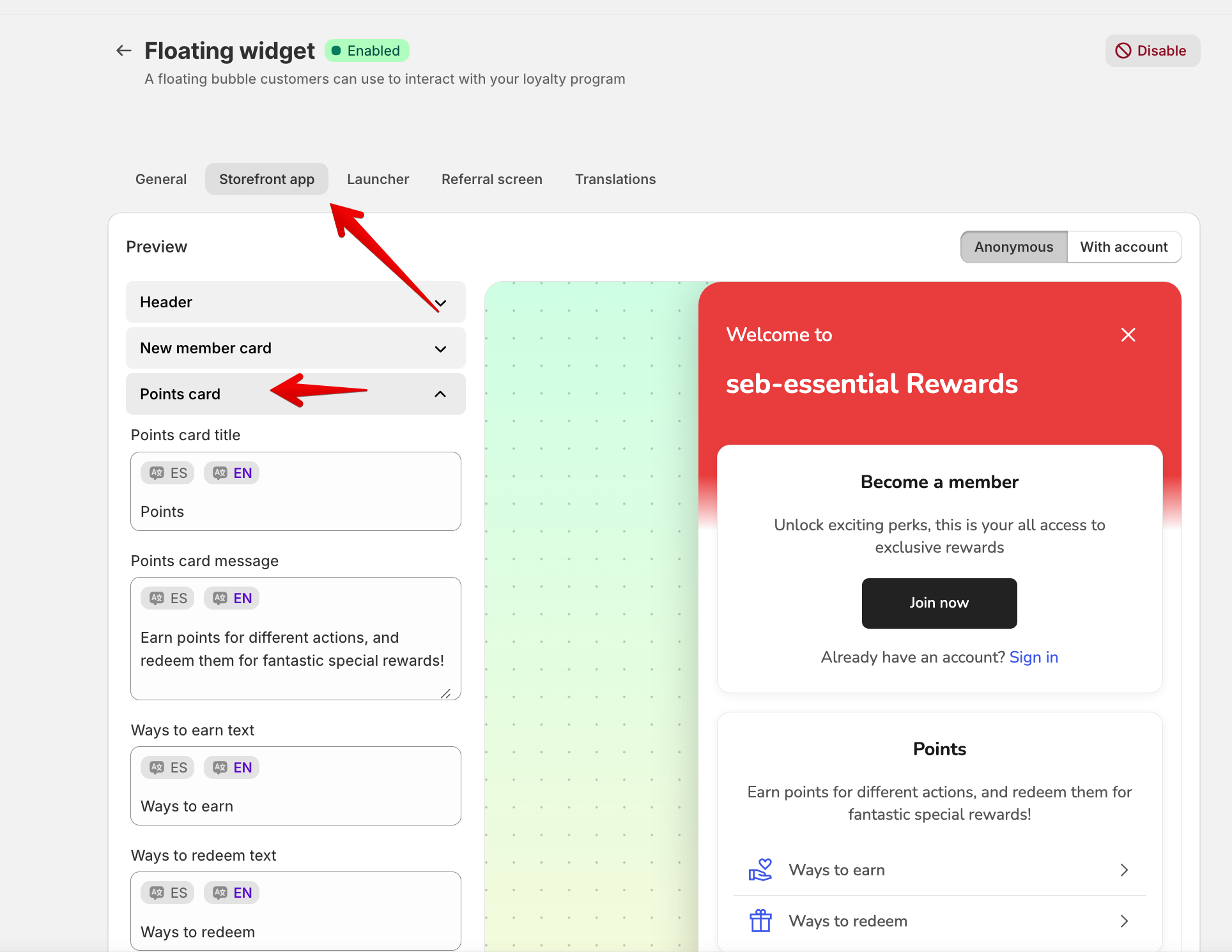
1️⃣ Floating Widget Translations (Storefront App Tab)
The Floating Widget is the loyalty interface customers see when they open the rewards widget on your store.
To translate it, go to:
Essential Loyalty → Placements tab → Floating widget → Storefront app
Here you control all customer-facing text inside the widget.
What You Can Translate Here
-
Welcome message
Program name (you can use
{store_name}dynamically)Balance labels
Buttons like:
- Join now
- Sign in
- Claim
- Redeem
- Ways to earn / redeem labels
- Referral text
- Birthday messages
- Subscription messages
How Translations Work
Next to each text field, you’ll see language toggles (for example: EN , DE , ES ).
👉 You must click each language and manually enter the translation for that language.
Example:
- Click EN → enter English text
- Click DE → enter German text
- Click ES → enter Spanish text
Each language is stored separately.
2️⃣ Referral Screen Translations
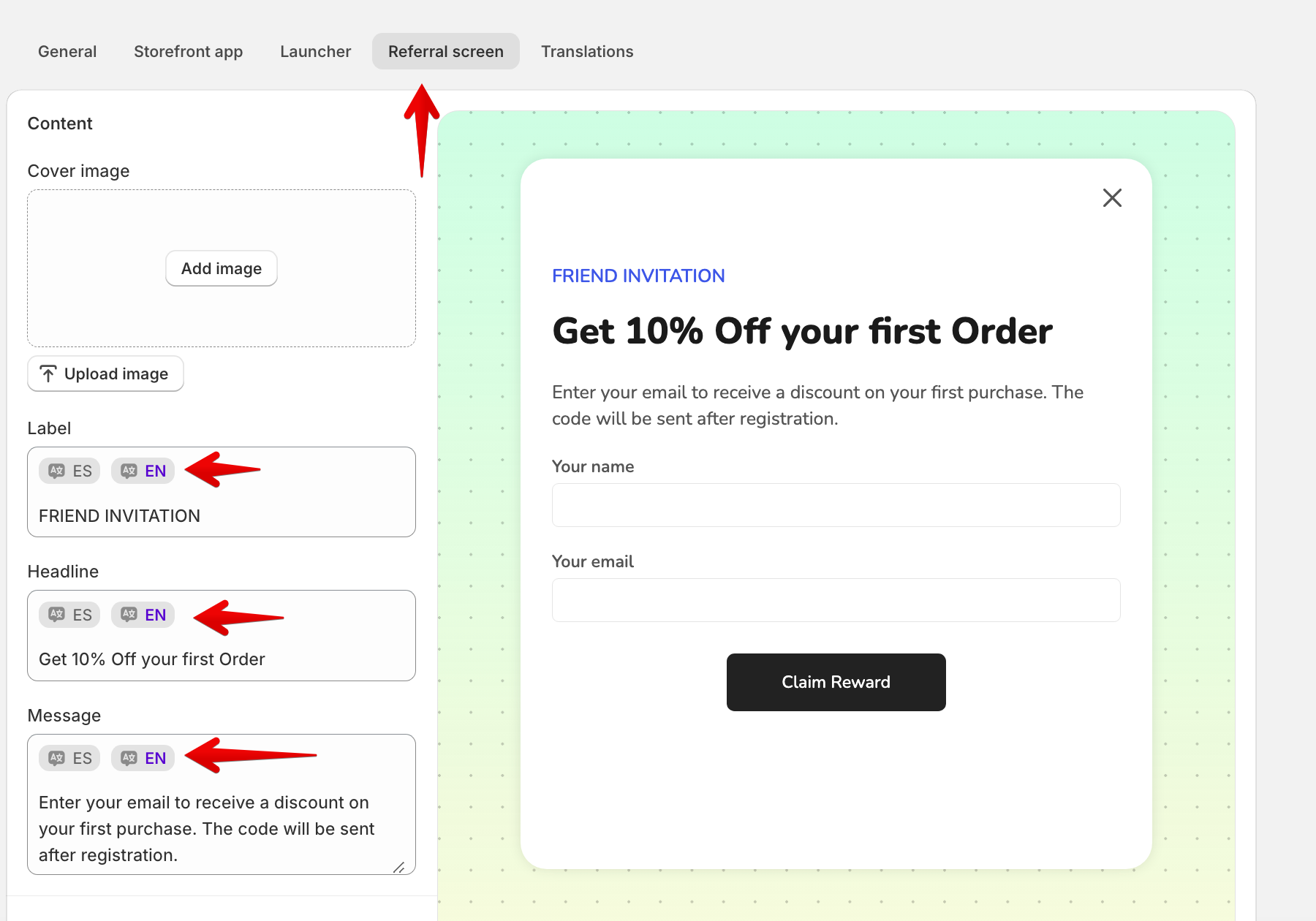
Inside the same settings area, you’ll find the Referral Screen tab.
This controls what customers see when they refer a friend.
You Can Translate
- Headline (example: “Get 10% Off your first Order”)
- Description text
- Form placeholders (Name, Email)
- Button labels (Invite, Send, etc.)
- Referral confirmation messages
- Cover image labels (language-specific)
Just like the widget, each language must be filled manually.
3️⃣ Translations Tab – Global Text Control
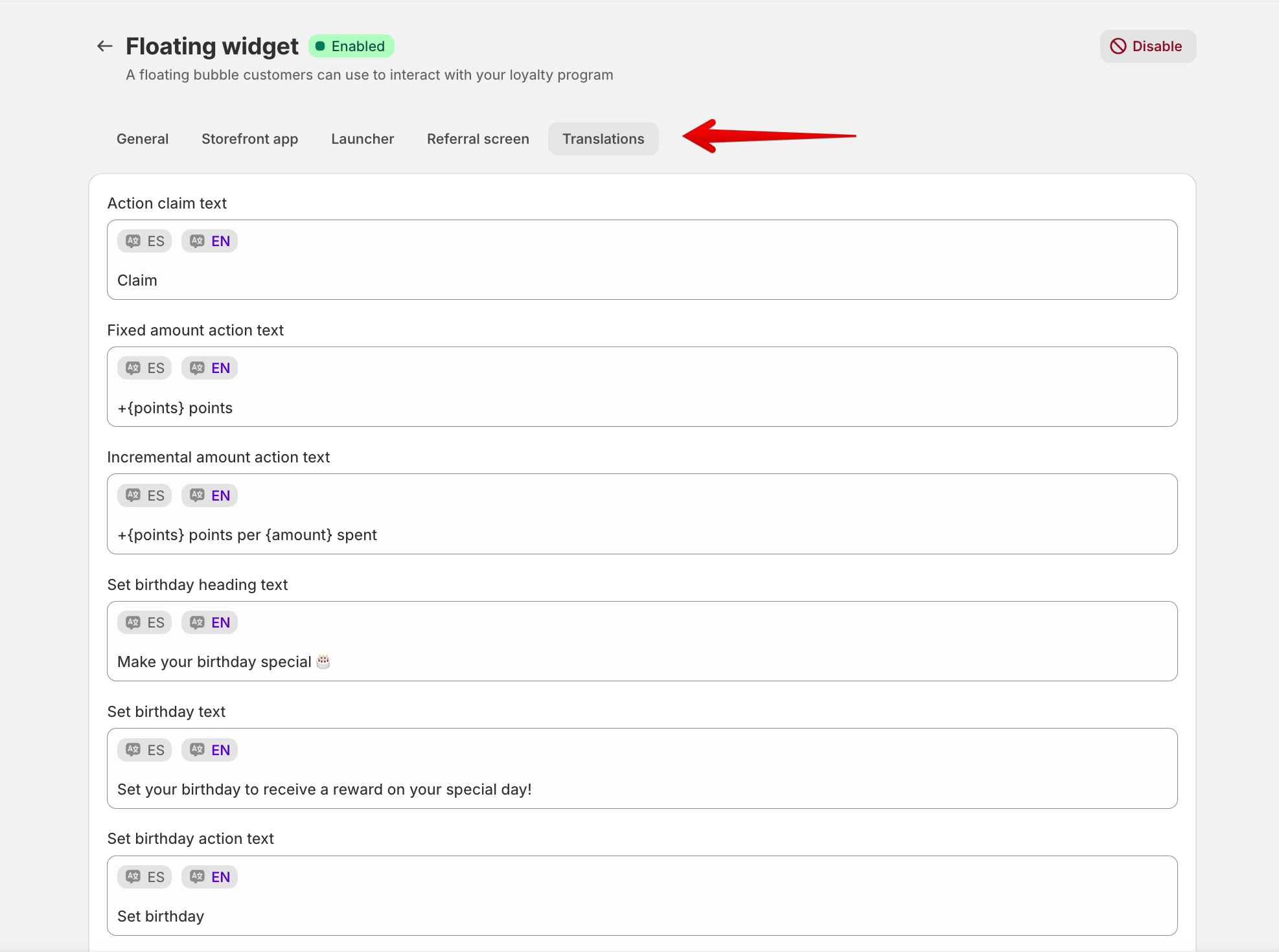
If you’ve enabled multiple languages in your app settings, the Translations tab becomes your global translation hub.
Go to:
Essential Loyalty → Translations
Here You Can Translate
- Action labels (Claim, Redeem, Visit)
- Reward descriptions
- Points text (fixed & incremental)
- Birthday headings & messages
- Referral & discount messages
- Subscription messages
- Empty state messages (e.g. “No actions available”)
This tab controls core system text that appears across the widget and loyalty experience.
Again:
⚠️ You must click each language and manually translate the content.
4️⃣ Dedicated Loyalty Page Translations (App Blocks)
Essential Loyalty also lets you build a full Dedicated Loyalty Page using app blocks.
This is separate from the floating widget.
How to Enable It
Go to:
Essential Loyalty → Placements → Dedicated Loyalty Page
Click Select and Continue
This creates a new page template where you can add loyalty blocks.
Translating Dedicated Loyalty Page Sections
The Dedicated Loyalty Page uses app blocks, such as:
- Hero section
- How It Works
- Ways to Earn Points
- Ways to Redeem Points
- Referral section
- VIP tiers (if enabled)
- FAQ
Important Split of Responsibilities
- Text & translations → Managed inside the Essential Loyalty app
- Design & layout → Managed inside Shopify Theme Customizer
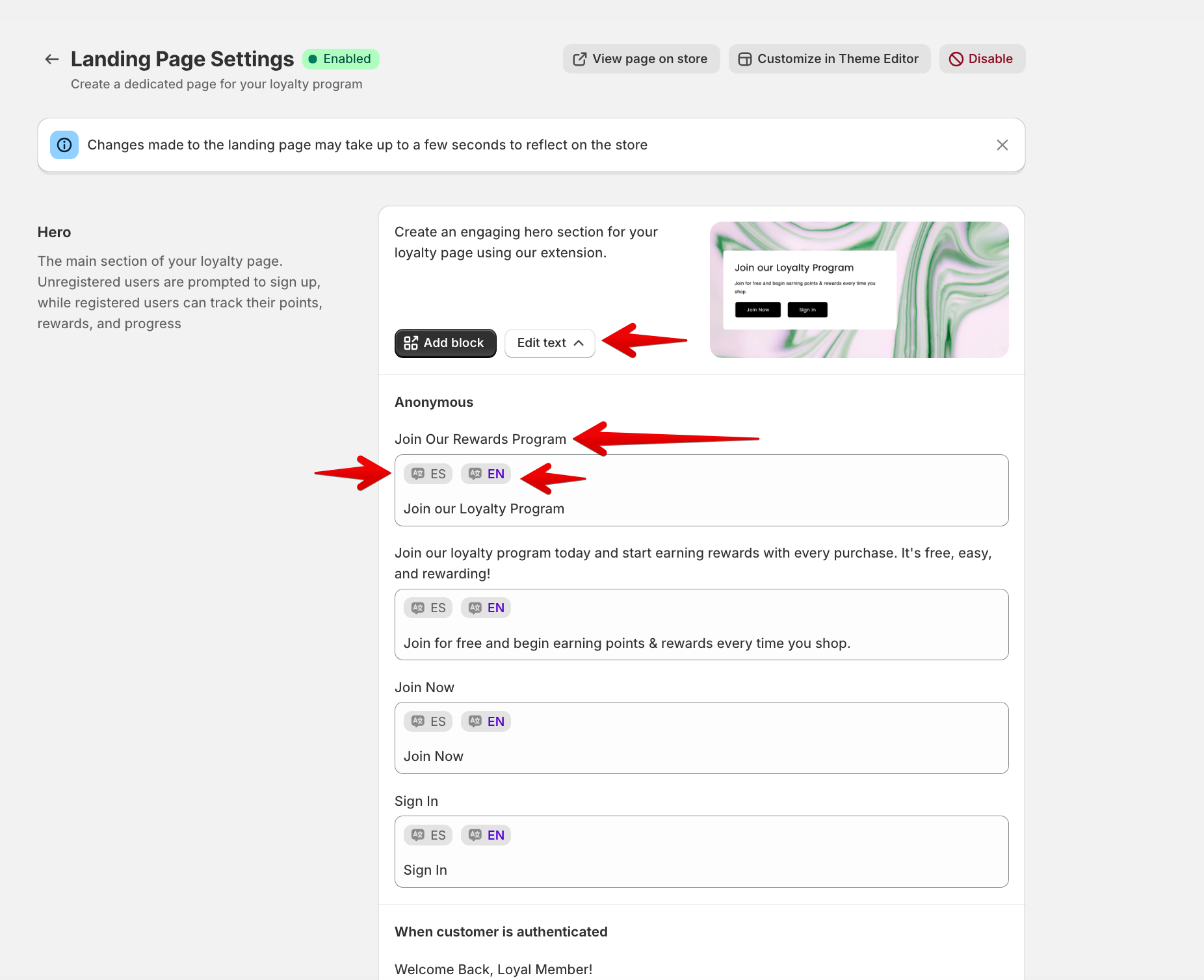
How to Translate App Blocks
- Open the Essential Loyalty app
- Go to the section (Hero, Ways to Earn, etc.)
- Click Edit text
- Select the language toggle (EN / ES / DE)
- Enter the translation for that language
Each block has its own text fields and must be translated individually.
💾 Don’t Forget to Save
After making changes:
-
Click Save at the top or bottom of the page
Unsaved changes will be lost.
✅ Final Summary
Essential Loyalty supports full multilingual customization, but translations are:
- Manual
- Language-specific
- Split into two main areas
🔹 Translation Areas
- Floating Widget
- Storefront App
- Referral Screen
-
Translations tab
Dedicated Loyalty Page
- App blocks are translated inside the app
- Visual design handled in Theme Customizer
With just a bit of setup, your loyalty experience can feel completely native to every market you sell in the 🌍