
How to update your Essential AI Blog Post plan
Updating your plan in the Essential AI Blog Post allows you to upgrade, downgrade, or change your subscription directly through Shopify. This article explains how to manage your plan and what to do if the option isn’t available.
To change your plan:
- From your Shopify admin, navigate to Apps.
- Click on the Essential AI Blog Post.
- Click on the Pricing plans tab.
- Choose billed monthly or yearly.
-
Choose the plan you want to switch to.
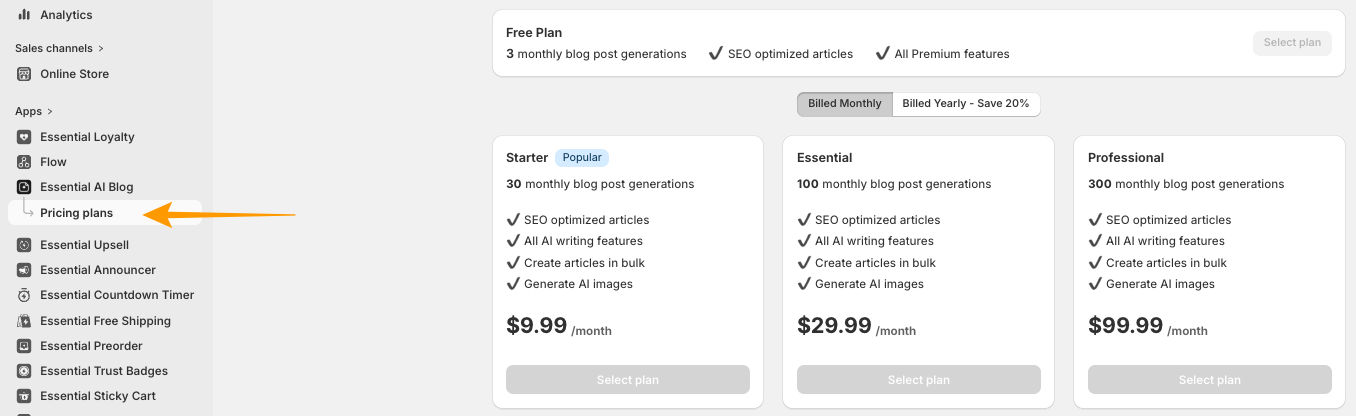
- Approve the new subscription charges in the Shopify billing screen.
Note: New plan limits and features are applied immediately upon confirmation.
After you update your plan
- Your subscription updates immediately.
- Your feature limits will reflect the new plan.
- Any additional charges will be billed through Shopify.